
Portfolio optimization
Risk-parity by default, plus classic mean–variance and other objectives. Set constraints, generate target weights, and see the diff against where you are today.
A desktop app for portfolio optimization, with machine-learning models and a private AI co-pilot that run on your own machine. There's no account to create and nothing to subscribe to.
Windows & macOS (Apple Silicon) · one-time purchase
Capabilities
Data, optimization and execution all happen in the same place, without handing your strategy or your holdings to anyone.
Risk-parity by default, plus classic mean–variance and other objectives. Set constraints, generate target weights, and see the diff against where you are today.
Regime detection, sentiment and trend models, and a fundamentals ranker. They train and run locally, and feed into your own view of the market.
The Consult tab talks to a model running on your machine, and it can read your own portfolio data and documents. Web lookups are optional and stay off until you ask.
Connect your own accounts, review a proposed rebalance, and place orders on your terms.
Track realized returns, drawdowns, and benchmark regression (alpha / beta) on your actual trade history, whether you import it or record it as you go.
Blend the optimizer’s output with your own views and credibility, so the final weights reflect both the model and your judgment.
Optional, and off by default. Turn it on and the guards still apply: paper mode to start, per-order size caps, daily trade limits, and market hours only.
Everything lives in a local database on your computer. No sign-up, no telemetry of your holdings, nothing leaves your machine unless you explicitly ask it to.
Algorithms
Visualizations of three engines that run inside OptSight: risk-parity optimization, the fundamental ranker, and market-neutral funding carry. Illustrations only, not a track record.
Play
A small simulated market game. Split €10,000 across four made-up assets and race three strategy bots, one of which runs risk parity, rebalancing as the market plays out. Same seed, same market: share the link and challenge a friend.
How it works
Define your universe and holdings, pull market data locally, and let the models surface statistics and regimes.
Generate target weights, blend in your own views, and talk through the result with the local-AI co-pilot.
Inspect the rebalance diff, then place orders through your broker. Do it by hand, or turn on guarded auto-execute.
Before you start
OptSight connects to your own data and accounts. You supply the keys and they stay on your machine. Most are free to create. Here's what to have ready, though you only need the ones you actually use.
Market data
Prices fall back across providers automatically; the fundamental ranker uses FMP or Alpha Vantage.
Brokers & exchanges
Local-AI co-pilot
Notifications
Get a message when a rebalance or an auto-execute run finishes. Both are opt-in and independent.
Every key is stored in your local config and never leaves your machine.
Privacy
OptSight runs on your machine, not on a server of ours. Your holdings, models and chats live in a database on your computer, and the AI co-pilot runs there too. The only portfolio-related traffic is an opt-in web lookup you trigger yourself, and that sends only the question you typed, never your portfolio.
Inside the app
Screenshots from the current release, with the figures obscured. Nothing here is a performance claim or an example of results you should expect.
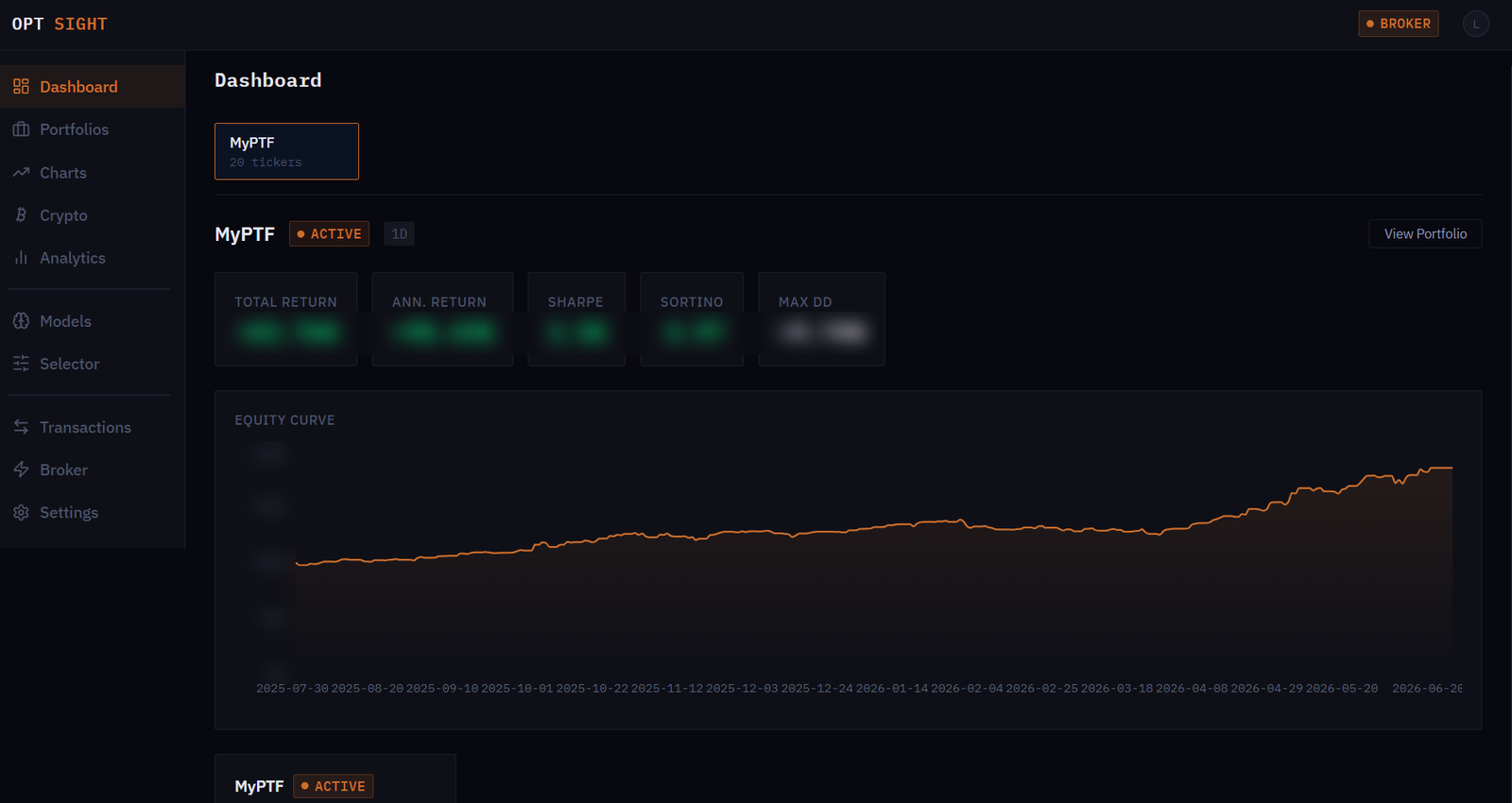
Equity curve, risk statistics and status for every portfolio, in a single panel.
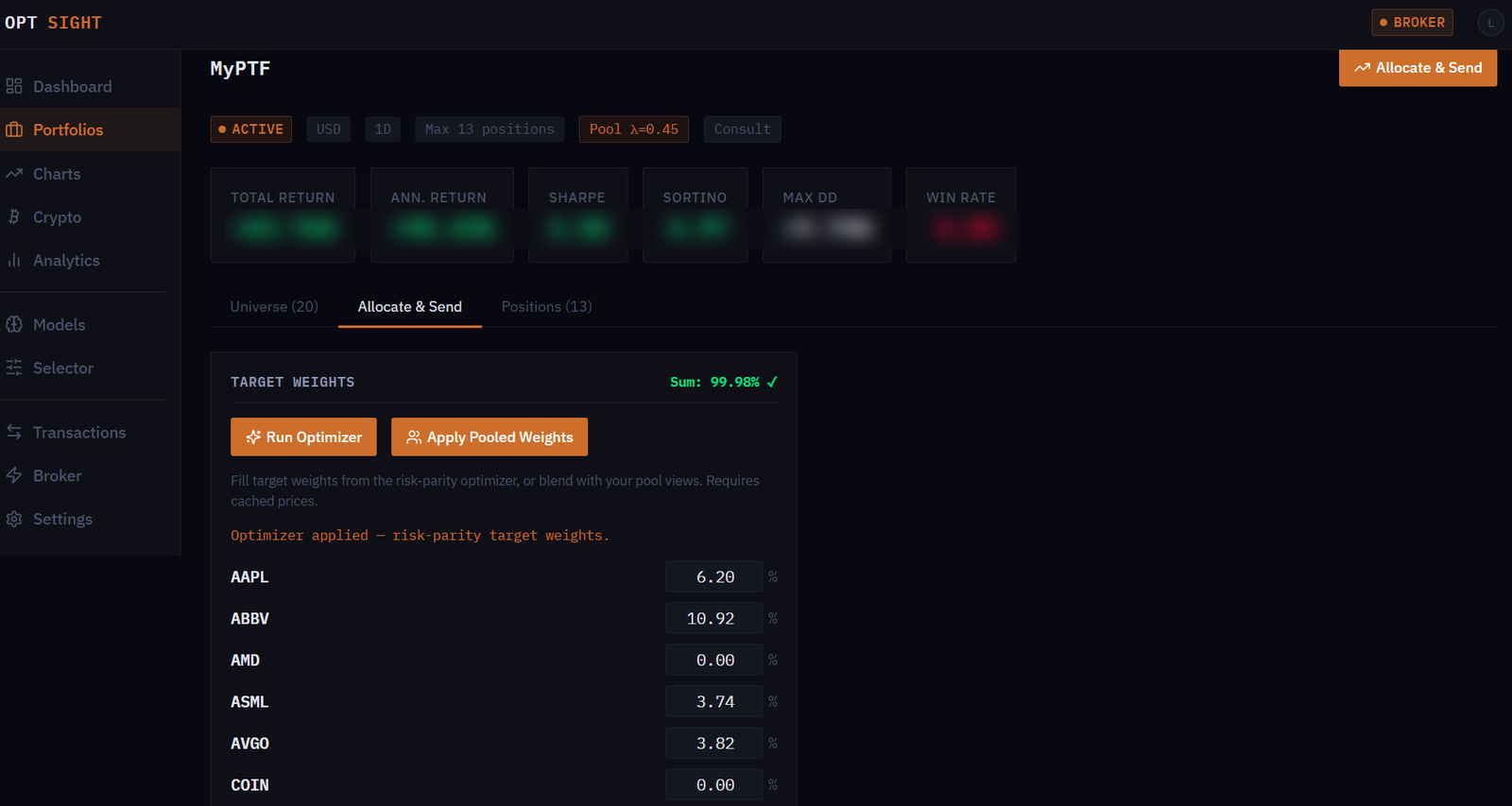
Run the risk-parity optimizer or blend it with your own views, then review the target weights before anything leaves the app.
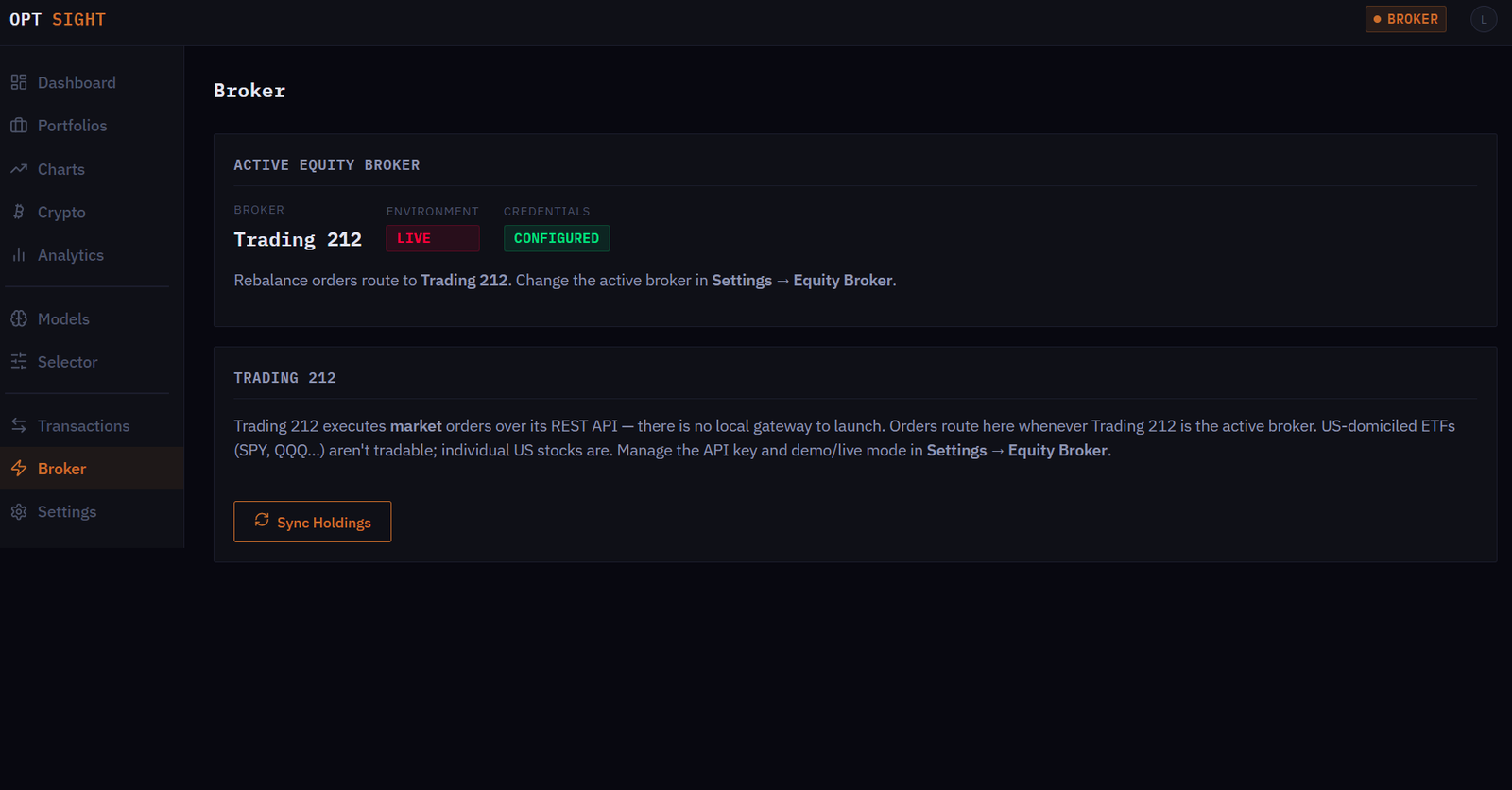
Connect your own account and pick the environment. Orders go where you point them, and only when you send them.
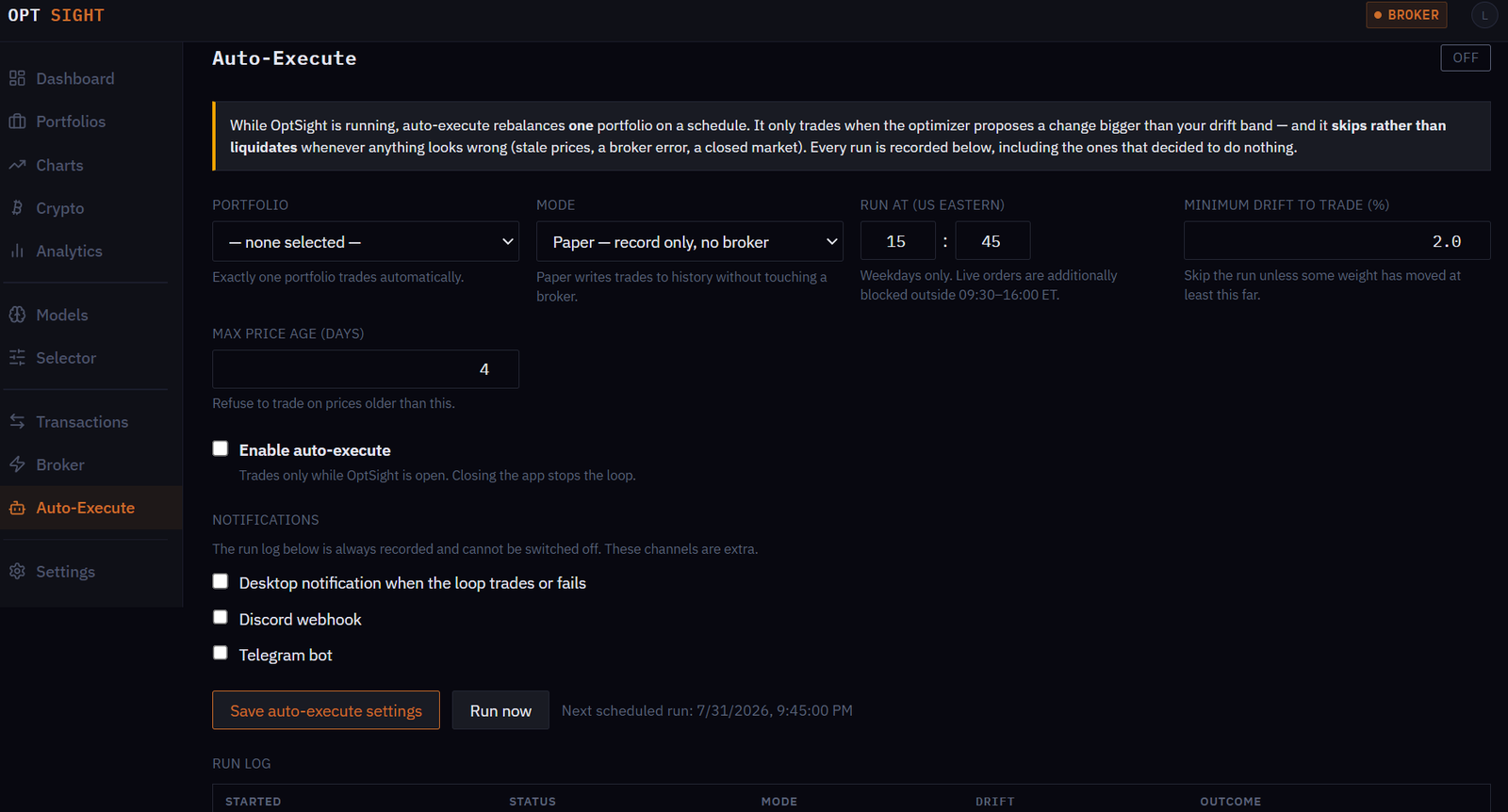
Auto-execute is off until you turn it on, starts in paper mode, and skips rather than liquidates when anything looks wrong. Every run is logged, including the ones that decided to do nothing.
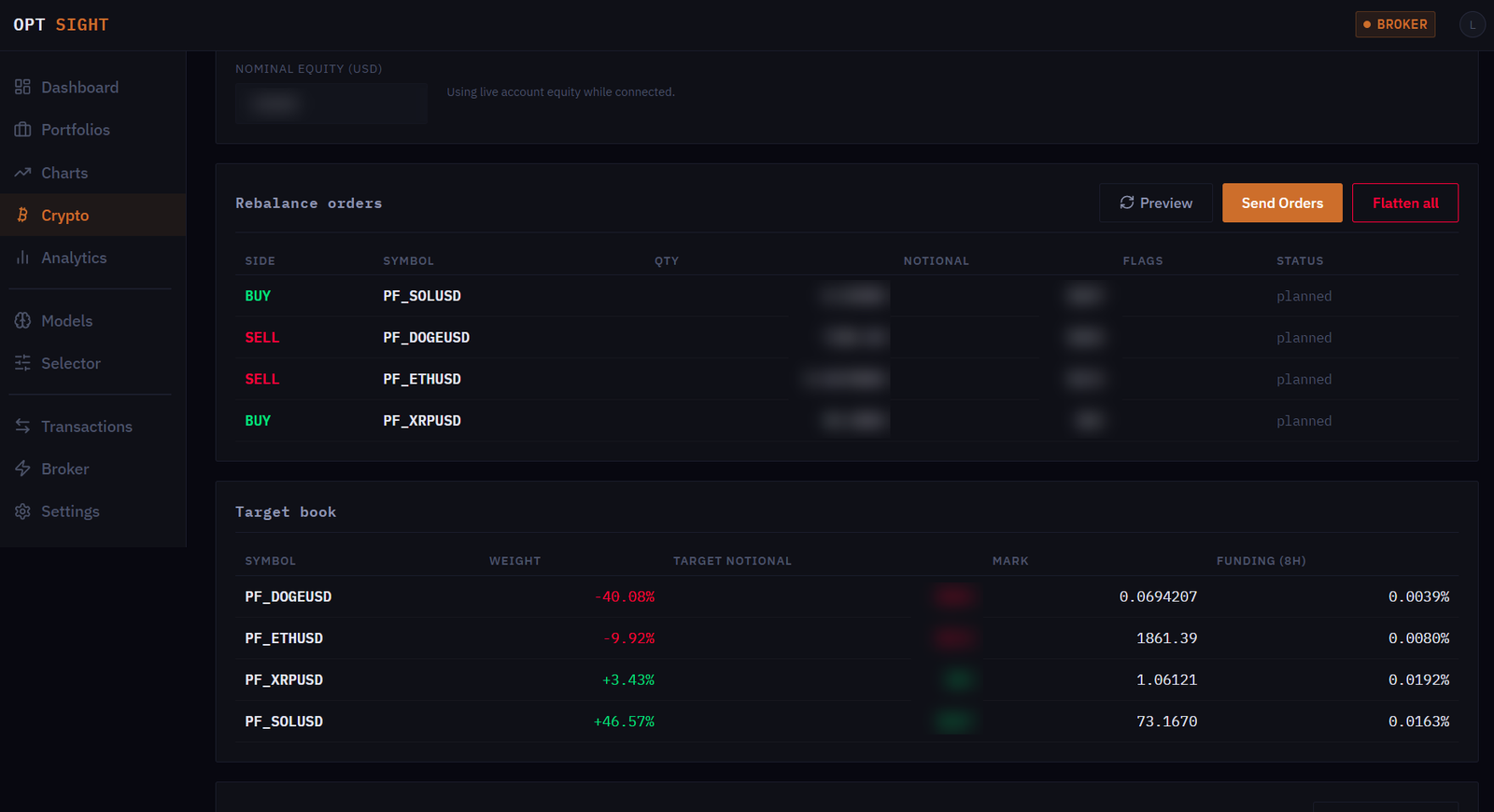
A market-neutral target book with a neutrality guard, and planned orders you preview before sending.
Pricing
Pay once. The copy is yours to keep and to run on your own machine, with no renewal date.
Founder's pricing · first 100 licences, €59 afterwards
Secure checkout · instant download after purchase
All sales are final. See Legal
Legal
Please read this before you buy or use OptSight. Purchasing a licence and using the software means you accept these terms.
OptSight (the “Software”) is designed for educational and informational purposes only. Recommendations, valuations, optimisations, statistics, rankings and portfolio allocations generated by the Software do not constitute financial, investment, legal or tax advice, and are neither an offer nor a solicitation to buy or sell any security or other instrument. OptSight is not a broker, exchange, custodian or investment adviser, and never takes custody of your funds or assets. You alone are responsible for every investment decision you make and for judging whether any strategy suits your circumstances. Consider consulting a licensed professional before acting.
The Software is provided “as is” and “as available”, without warranty of any kind, express or implied, including but not limited to warranties of merchantability, fitness for a particular purpose, accuracy, or non-infringement. Under no circumstances shall the developer be liable for any direct, indirect, incidental, special or consequential financial losses, lost profits, missed opportunities, trading losses, or data loss or corruption resulting from the use of (or the inability to use) the Software or any API integration.
Investing involves risk, including the possible loss of capital. Past performance does not indicate future results. Nothing shown, simulated or described in the Software or on this website is a prediction or a promise of future performance.
Nothing in these terms limits or excludes liability that cannot lawfully be limited, or affects your mandatory statutory rights as a consumer.
The Software connects to external broker, exchange and market-data APIs using credentials that you supply and control. The developer is not responsible for API downtime, delayed, partial or failed execution, incorrect or stale data, slippage, fees, rejected or duplicated orders, or security breaches occurring on third-party platforms. Your relationship with each broker, exchange and data provider is governed by that provider’s own terms; complying with them (and verifying every order in your broker’s own interface) is your responsibility.
Automated order placement (“auto-execute”) is opt-in, disabled by default, and subject to in-app guards including a paper-trading default, order-size and trade-count limits, and market-hours checks. Enabling it, and the orders that follow, remain your decision and your responsibility.
Your purchase grants a personal, non-transferable licence to use the Software in its original, unmodified form, activated on up to the number of devices stated at checkout. Reverse engineering, disassembly, tampering with or circumventing licensing or security controls, and redistributing or reselling the Software or licence keys are strictly prohibited, except to the extent such restriction is prohibited by applicable mandatory law.
The developer accepts zero liability for losses, erroneous API calls, unintended orders or unexpected behaviour arising from unauthorised, cracked, patched or otherwise modified copies of the Software, and provides no support for them.
All sales of digital licences are final and non-refundable once the licence key has been generated or accessed. By completing your purchase you expressly consent to immediate delivery of the Software and acknowledge that you thereby lose any applicable statutory right of withdrawal or cooling-off period.
This does not affect your statutory rights where the Software is faulty or materially not as described: in that case you are entitled to repair or replacement and, if the defect cannot be remedied within a reasonable time, to a full or partial refund. Payments are processed by Stripe on behalf of the developer named in §7; your receipt is issued at checkout. Your licence key is issued immediately after payment and sent to the email address you enter there.
OptSight runs on your machine. There is no account and no cloud sync; your holdings, models, chats and settings are stored in a local database on your computer. The Software contains no analytics, tracking or usage telemetry, and your portfolio data is never transmitted to the developer.
Outbound connections happen only for: licence activation and periodic validation (your licence key and a device identifier are sent to Keygen, the licensing service); update checks; market and fundamental data requests made with your own API credentials to the providers you configure; broker connections you set up; and opt-in web lookups you trigger yourself in the AI co-pilot, which send only your typed question, not your portfolio.
Your purchase is handled outside the Software: Stripe processes the payment (the developer never receives your card details), Keygen issues and stores your licence key, and that key is emailed to you through Resend. None of these have access to your portfolio data.
OptSight is developed and licensed by Tomáš Procházka, an individual resident in the Czech Republic. Support, questions and defect reports: contact@opt-sight.com.
These terms are governed by the laws of the Czech Republic, without prejudice to any mandatory consumer protections of your country of residence. If any provision is found unenforceable, the remainder stays in force.